How To Enroll Your Students in A Learning Experience
Want to enroll your students in an Infiniscope activity? Enrolling students gives you greater flexibility and allows you to track student progress.
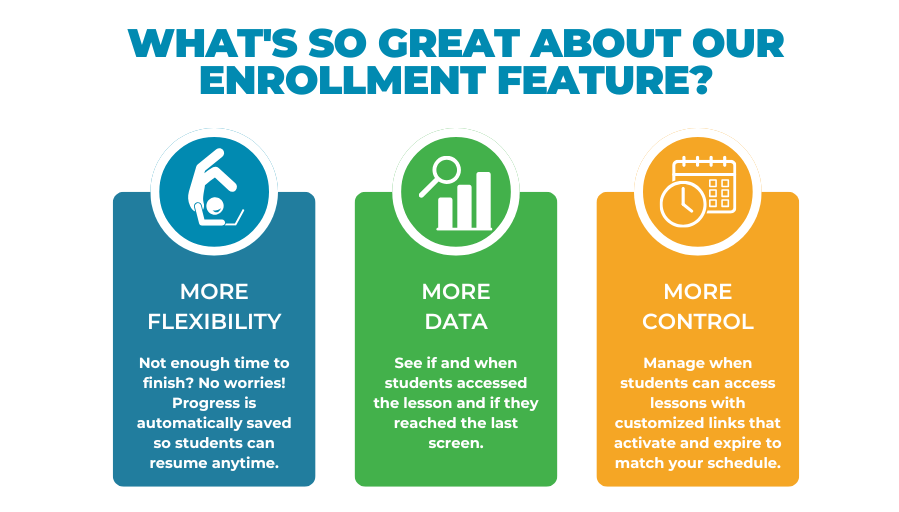
Once your course section has been created and your students are enrolled, you’ll be able to:
-
Monitor student progress and completion
-
Manage access to content
-
Automatically save student progress
- Create and customize lesson collections
Follow the steps below to get started.
Step 1: Create an Instructor Account on Torus
If you previously had an Infiniscope Instructor Account on Argos, please note that those accounts will no longer work after November 2025. To continue using Infiniscope content, you’ll need to create a new Instructor Account on Torus.
-
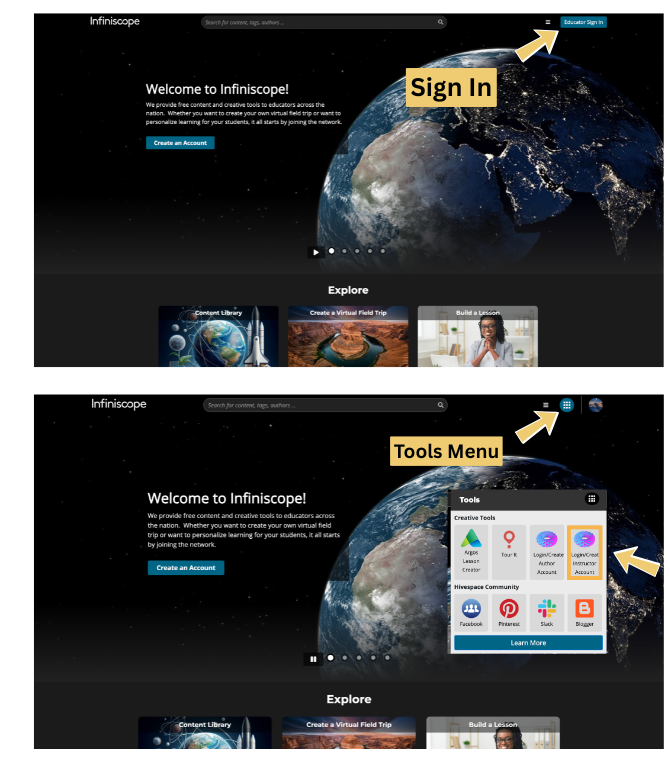
Sign in to your Infiniscope account. (Not a member yet? Join now.)
-
From the Tools menu, select Login/Create Instructor Account. This will take you to Torus, where you can create a new instructor account.
-
Once your account is created, complete this form so we can add you to the Infiniscope community. This step is required to access all of the Infiniscope content.
Need more help? See our Step-by-Step Guide on Creating an Instructor Account
If you already have a Torus instructor account, please skip ahead to Step 2.
Step 2: Log Into Torus
-
Sign in to your Infiniscope account.
-
Open the Tools menu and select Login/Create Instructor Account to access Torus.
-
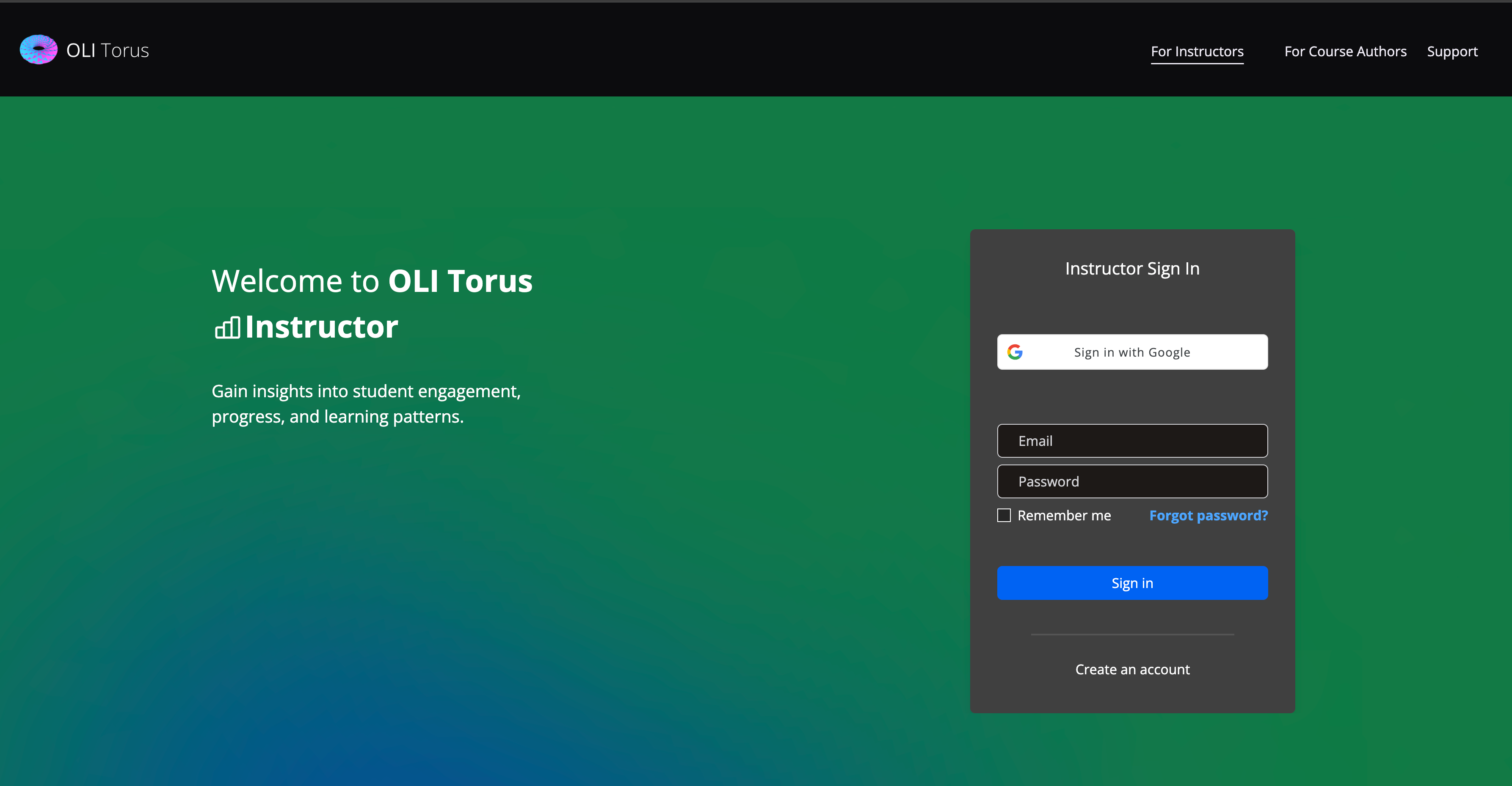
Log in using your instructor credentials.
Step 3: Create a Course Section
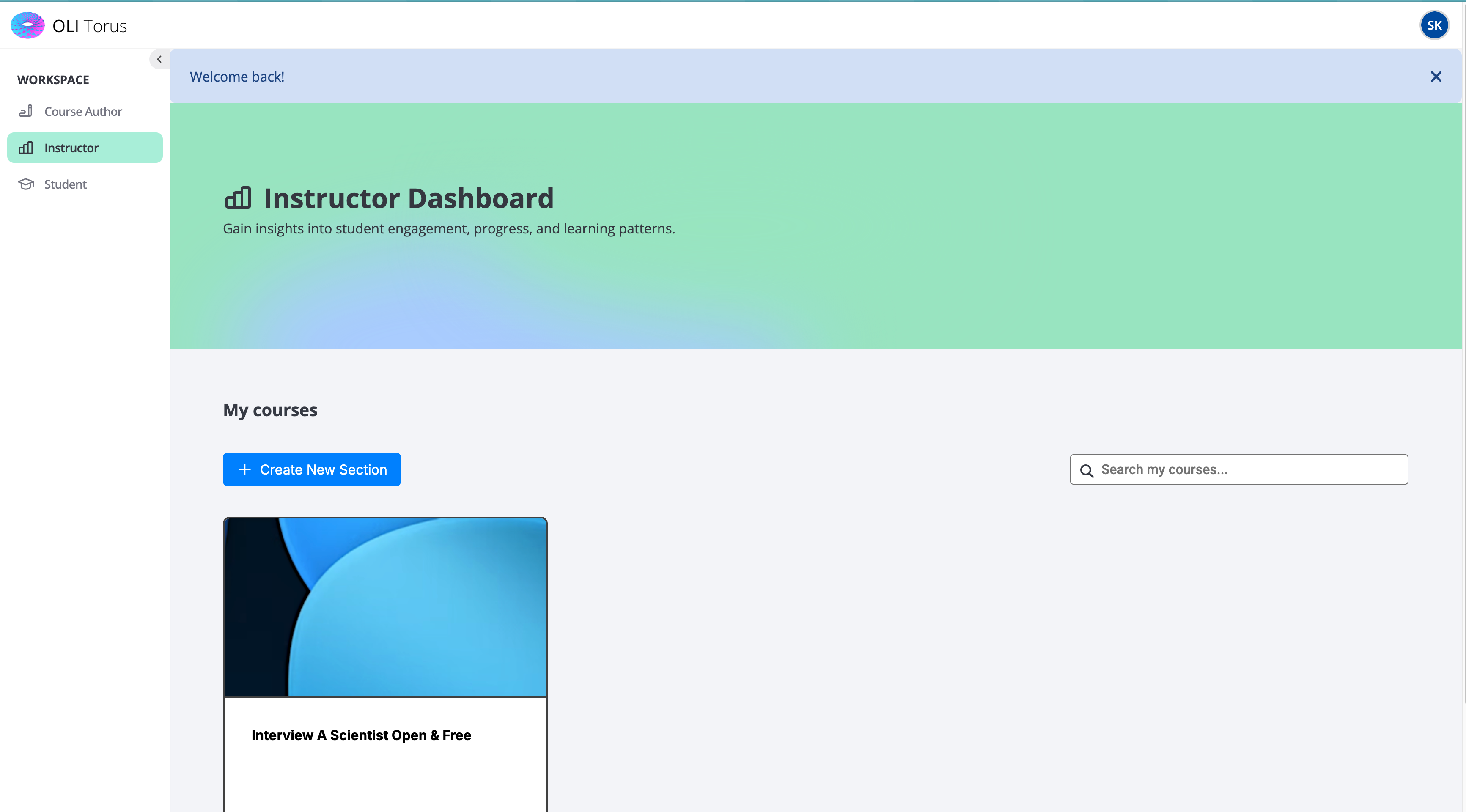
Within Torus:
-
Create a new course section.
-
Select the Infiniscope content you’d like to use.
-
Customize the section name, start/end dates, and settings as needed.
-
Invite students to join the section.
Need more help? See our Step-by-Step Guide on Creating a Course Section
Working with one of our collections? How to Setup and Customize a Collection
You’re Ready to Go!
You can now enroll students in any Infiniscope lesson or collection. You can combine multiple lessons to create units and you can even add your own lessons and assessments created with our Simple Author.
We've even created self-paced training modules to help you get started on creating your own content.
Got questions? Contact us.
Optional: Learning Management System (LMS) Integration
If your institution requires lessons to be launched from an LMS (like Canvas, Blackboard, or Moodle), additional setup is required.
LMS integration involves approval of Torus as an external tool and coordination with your institution’s LMS administrators.
If this applies to you, please contact us for assistance.